Resources / Build agents

Build your agent.
Connect it to Cortega.

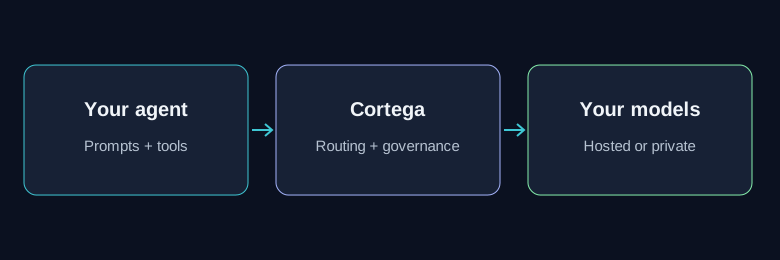
Use Cortega for model access, tool permissions, policy checks, and task costs. Your application owns the workflow.

Developers working together at their computers
Developers working together on application code.
Your agent sends requests through Cortega routing and governance to hosted or private models
Connect a compatible model client to the Cortega gateway.
Agent types

Who calls the agent. What Cortega controls.

Customer service agents

External customers ask for refunds, account help, or transfers. Attackers use the same channel to impersonate staff, pressure the agent, or bypass checks.
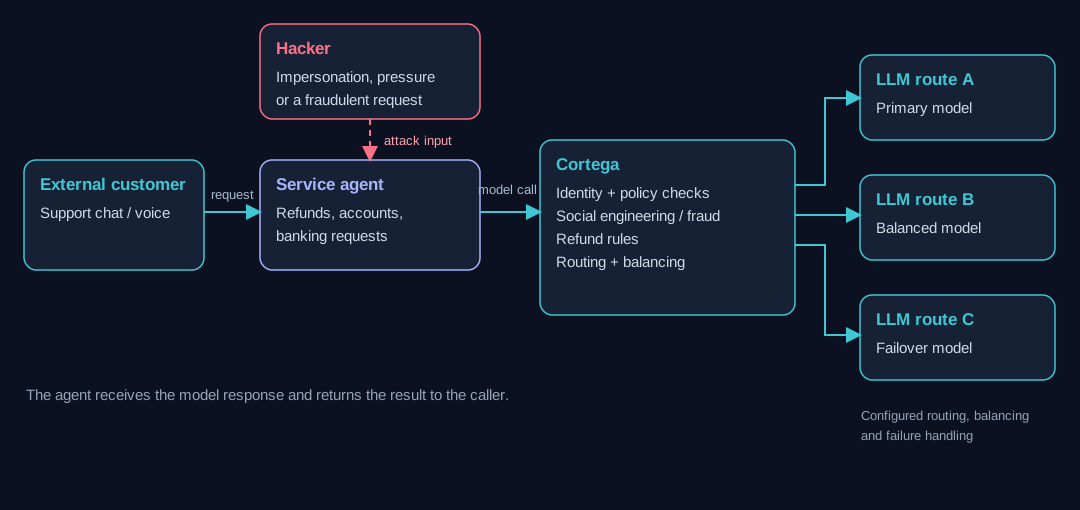
Topology showing the caller, agent, Cortega gateway, LLM routes and governed tools for Customer service agents
Scroll horizontally on smaller screens to see the full topology. Arrows show requests; red arrows show attacker input. Routing and failover follow the operator’s configuration.

How Cortega protects the workflow

Building the agent on Cortega lets the operator apply social-engineering, fraud, and refund-policy checks before model responses reach the customer. Routing, load balancing, and failover keep model selection and failure handling in the gateway.
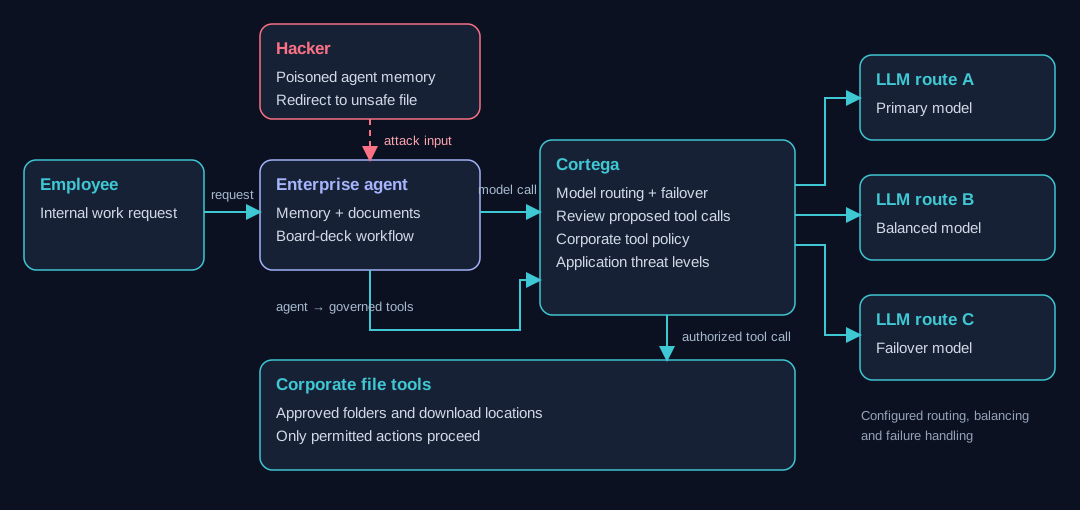
Internal enterprise agents

An employee asks an agent to prepare a board deck. A hacker plants instructions in the agent’s memory to make a capable LLM recommend an unapproved file.

Topology showing the caller, agent, Cortega gateway, LLM routes and governed tools for Internal enterprise agents
Scroll horizontally on smaller screens to see the full topology. Arrows show requests; red arrows show attacker input. Routing and failover follow the operator’s configuration.

How Cortega protects the workflow

Building the agent on Cortega puts corporate policy checks around the proposed tool calls. The gateway can block an unapproved location even when the model follows the planted instructions; threat levels can tighten the allowed actions.

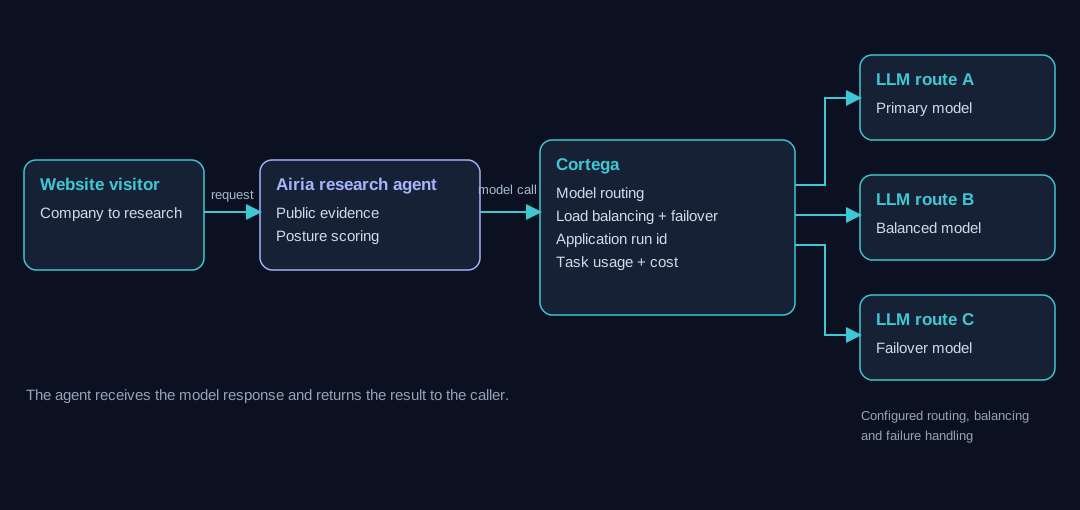
Research agents: Airia

A visitor enters a company name. Airia researches public information and returns an explainable AI-posture score.

Topology showing the caller, agent, Cortega gateway, LLM routes and governed tools for Research agents: Airia
Scroll horizontally on smaller screens to see the full topology. Arrows show requests; red arrows show attacker input. Routing and failover follow the operator’s configuration.

How Cortega protects the workflow

Building Airia on Cortega gives the research workflow a configurable model route, load balancing and failover policies, and per-task cost reporting. The application can change model selection without rebuilding its research workflow.

Conversational voice agents: vCon Arena

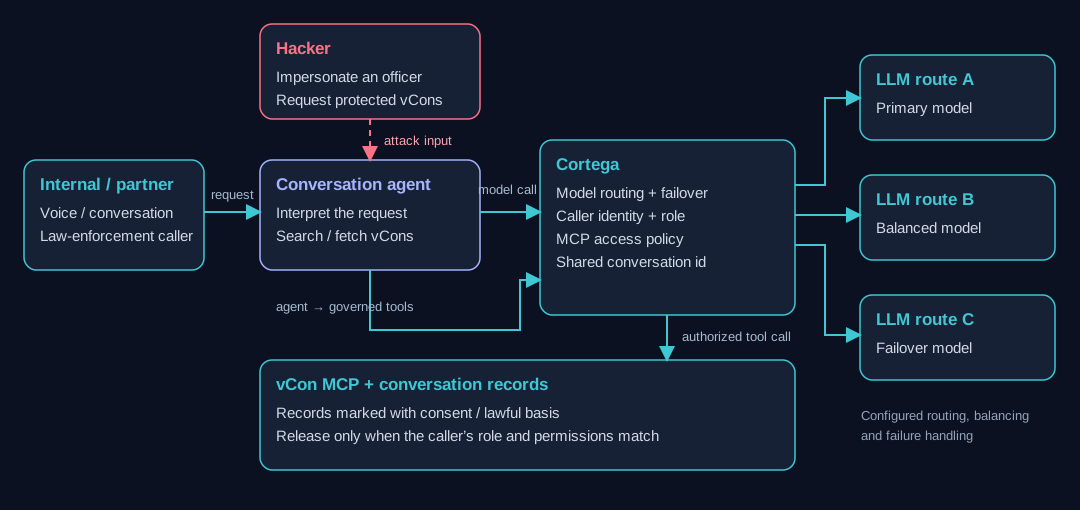
Internal and partner callers use a conversational agent to request conversation records. The law-enforcement example compares an authorized investigation with a caller impersonating an officer.

Topology showing the caller, agent, Cortega gateway, LLM routes and governed tools for Conversational voice agents: vCon Arena
Scroll horizontally on smaller screens to see the full topology. Arrows show requests; red arrows show attacker input. Routing and failover follow the operator’s configuration.

How Cortega protects the workflow

Building the agent on Cortega connects caller-role authorization to MCP access. The system checks the requested vCon’s consent or lawful-basis permissions in real time before releasing it, so a claim of authority alone does not grant access.

Build yours

Start with a model call.

01

Connect

Use your gateway URL, identity key, and configured model name.

02

Configure

Set policies, budgets, and MCP permissions. Test allowed and blocked requests.

03

Track

Send a run id on related calls. Read task costs through the Analytics API.