See the patterns
behind every conversation.
Cortega Agents analyze recorded AI traffic to surface quality, risk, sentiment, compliance, and efficiency signals. Give administrators and analysts a clearer view of what needs attention.
- Choose the sourceAI Border Gateway and Endpoint Guard traffic.
- Enable Cortega AgentsClassify, score, and watch conversations.
- Review the signalsFind anomalies, policy gaps, and inefficient work.
Enable each agent independently.
Understand more than a single response.
Sentiment & escalation
Identify frustration spikes in conversations so teams can review interactions that may need intervention.
Brand & policy compliance
Check conversations against your rubric to surface departures from brand standards and business policies.
Conversation scoring
Use Scorer to assess whole conversations against criteria you define. Run multiple instances with different rubrics.
Topic & intent clustering
Group conversations by topic and intent to understand recurring needs and patterns in AI use.
Risk & traffic anomalies
Aegis watches for traffic anomalies and raises notifications. Its interactive chat agent helps your team investigate activity.
Agent trajectory
Identify loops, wrong-tool use, and agents giving up so teams can find where a workflow went off course.
Find where AI can work better.
Workload classification & model fit
Workload Analyzer categorizes exchanges for reporting. Paired with Model Intelligence, it recommends models for actual traffic and a named successor when a model is deprecated.
Read about Workload Analyzer →Cost & efficiency optimization
The Cost & Efficiency Optimizer surfaces opportunities to improve how AI resources are used. Connect those findings to model routing and budget decisions.
Explore Token Budget Management →Cortega Agents, in one place.
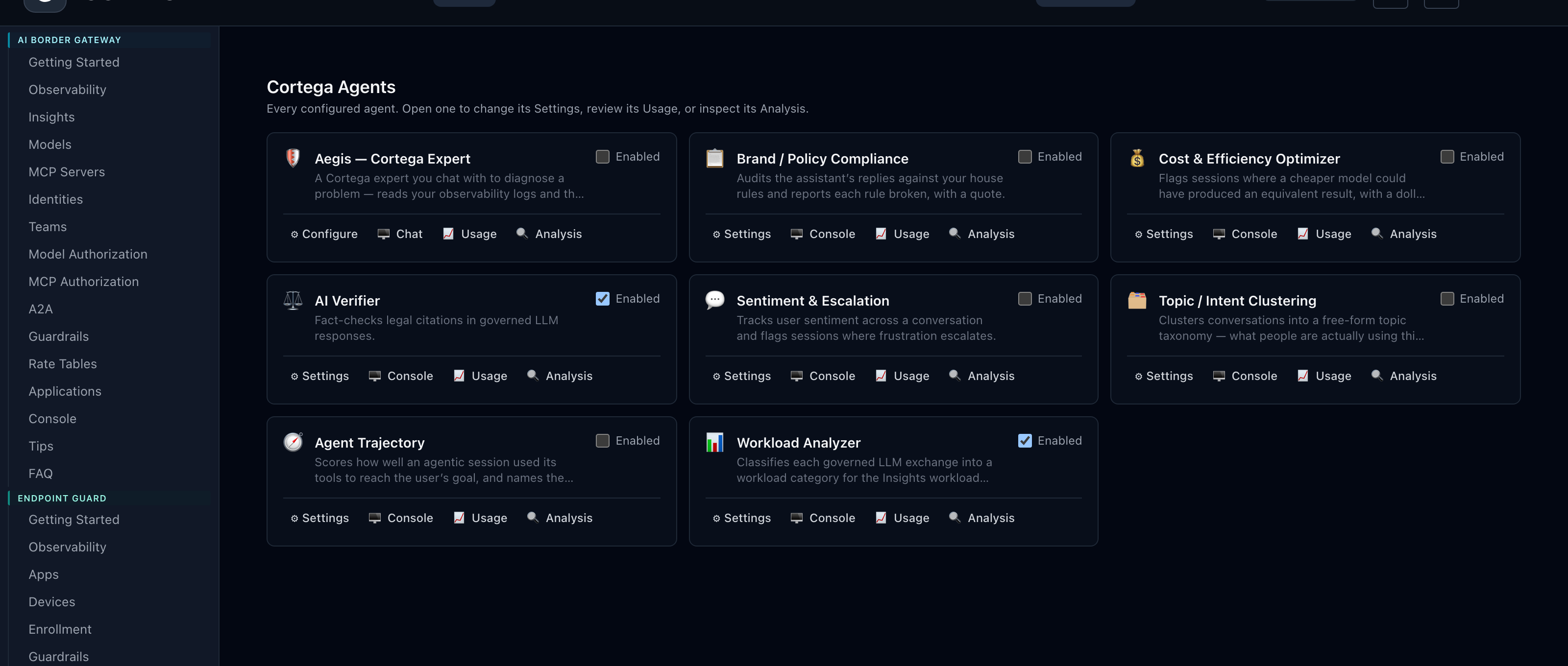
Choose what each agent can see.
Explicit source selection
Most agents are off by default. Opt in AI Border Gateway traffic, specific applications, or Endpoint Guard traffic for each agent. Agents are enabled independently.
Rubrics where they matter
Configure the criteria for your Scorer and Compliance agents. Compliance analysis requires a rubric; sentiment, cost optimization, trajectory, and Aegis need no extra configuration to run once enabled.
Read the Cortega Agents documentation →MAKE YOUR NEXT MOVE
Put governance
into practice.
Explore how Cortega fits your AI environment.