SOLUTIONS / AI GOVERNANCE

What is AI governance?

AI governance is how an organization sets and enforces rules for AI use: who can access it, what data it can process, which actions it can take, how its answers are checked, and who is accountable. It covers employee assistants, development tools, and agents running in production.

Cortega brings these controls together through AI Border Gateway, Endpoint Guard, AI Guard, AI Verifier, Cortega Agents, and RedTeam.

People collaborating around laptops at a shared table

THE GOVERNANCE PROBLEM

Governance follows AI wherever work happens.

An employee pastes a document into a chatbot. A coding assistant reads a repository. A production agent calls a customer database. Each workflow needs appropriate access, data protection, model choices, and review—not just a policy document.

BEFORE / AFTER

AI governance problems and how Cortega addresses them.

Each comparison shows an example of a governance gap and how Cortega helps when the relevant controls are configured.

01

Employee AI use outside approved systems

Before

Employees use browser assistants, desktop AI apps, or local tools that never reach a central gateway. IT lacks a reliable view of the apps and data involved.

With Cortega

Use Endpoint Guard on enrolled devices to discover supported AI applications, set observe, police, or block policies, and apply local sensitive-data checks to configured domains.

Delivered by Cortega Endpoint Guard

Explore Shadow AI →
02

Development tools with inconsistent setup

Before

Developers configure separate provider keys and models in each coding tool. Source code may reach an unapproved destination, and team policies vary by assistant.

With Cortega

Use Cortega AI Pack for VS Code to configure supported assistants on Windows and macOS. Route their calls through approved models and enforce model locks and team budgets; add Endpoint Guard for device-level Shadow AI controls.

Delivered by Cortega AI Pack + AI Border Gateway

Explore Coding Agents →
03

AI costs without project or task ownership

Before

Teams see a total AI bill but cannot connect usage across assistants to a project, task, or legal matter. Unassigned costs disappear into shared accounts.

With Cortega

Select a matter or project in the extension, or enable the Matter/Project agent to suggest assignments from captured conversations. Review governed request counts, tokens, and model costs by project, keeping unmatched usage visible.

Delivered by Cortega AI Pack + AI FinOps

Explore project cost management →
04

Unclear data destinations

Before

A team adopts a hosted model without deciding whether its data may be processed there. Self-hosting the gateway alone does not determine where the model runs.

With Cortega

Choose approved hosted, local, or privately deployed models for each workload. Apply sensitivity-aware routing and configure inspection, recording, and retention policies for the deployment.

Delivered by AI Border Gateway + Private AI

Explore Private AI →
05

Customer and administrator access boundaries

Before

Multiple customers share infrastructure without clearly separated access, policies, or spending limits. Administrators have more access than their responsibilities require.

With Cortega

Use tenant-specific management, policies, model authorization, and budgets alongside role-based access controls, SSO, and administration audit records.

Delivered by Cortega enterprise platform

Explore managed service provider governance →
06

Quality findings without a review process

Before

An AI answer violates a writing policy, contains irrelevant material, or is flagged for review, but nobody owns the decision about what happens next.

With Cortega

Define a review rubric and enable scoring, policy compliance, or verification on relevant traffic. Give reviewers access to findings and supporting evidence, and set your organization’s escalation and approval responsibilities.

Delivered by AI Verifier + Cortega Agents

Read about quality and policy analysis →
07

Identity and provider credentials

Before

Shared keys make it difficult to identify a caller. Provider credentials spread across services and become hard to rotate.

With Cortega

Use identities and Cortega-issued virtual keys to identify people, applications, and teams. Keep provider credentials encrypted centrally; authenticate supported applications with OIDC/JWT.

Delivered by AI Border Gateway

Explore AI Gateway →
08

Overly broad tool access

Before

A support agent can reach the same tool server as an administrator. Network access alone does not express which tools the agent should use.

With Cortega

Authorize specific teams for specific tools on specific MCP servers, with permission checks on governed calls. For example, allow order lookup without granting customer deletion.

Delivered by AI Border Gateway

Explore tool governance →
09

Manipulation across a conversation

Before

A request appears harmless in isolation, while earlier messages or a poisoned tool result steer the agent toward an unauthorized action.

With Cortega

Apply guardrails that inspect messages, sessions, and conversations. Configure application threat levels and policy checks alongside tool permissions to constrain what the agent can do.

Delivered by Cortega AI Guard + AI Border Gateway

Explore Agent Security →
10

Sensitive data in prompts and responses

Before

A customer record or credential is included in a prompt. Sensitive work reaches a model destination that was not approved for that data.

With Cortega

Detect sensitive information and apply configured masking or rejection policies. Route sensitive workloads to approved private models and infrastructure.

Delivered by AI Border Gateway + sensitive-data routing

Explore Private AI →
11

Confident but unreliable answers

Before

An agent returns an unsupported claim or fabricated citation. Reviewers must decide what to trust without a verification finding.

With Cortega

Enable AI Verifier to check citations, policy adherence, factual relevance, and contextual accuracy using available evidence. Bring findings into the workflow for review.

Delivered by AI Verifier

Read how verification works →
12

Loops, incomplete tasks, and missed signals

Before

An agent repeatedly calls a tool, gives up partway, or produces low-quality work. Request counts and latency alone do not explain the behavior.

With Cortega

Enable Cortega Agents on selected recorded traffic. Agent Trajectory flags loops and wrong-tool use; workload, sentiment, and rubric-based scoring help teams prioritize investigation.

Delivered by Cortega Agents

Read about agent analysis →
13

Activity without an accountable record

Before

A model response or tool action cannot be connected to the caller, agent run, or policy decision. Teams reconstruct events from separate logs.

With Cortega

Record per-request identities, model and MCP usage, costs, and findings. Group calls using your application’s conversation or run ID, and retain administration and policy-change audit records.

Delivered by AI Border Gateway + application analytics

Explore application and run analytics →
14

Spend disconnected from the work

Before

A bill shows model usage but gives little insight into which workflow consumed it. A loop or expensive model choice can keep spending unnoticed.

With Cortega

Set budgets and spending limits for governed requests. Attribute usage to application instances and projects, then use cost-aware routing and workload studies to evaluate eligible alternatives.

Delivered by AI Border Gateway + AI FinOps

Explore AI FinOps →
15

Provider errors and model outages

Before

An agent depends on one model endpoint. Errors, timeouts, or degraded service interrupt the workflow.

With Cortega

Configure health-based failover and retries across approved model destinations. Keep fallback choices within your access, privacy, and workload policies.

Delivered by AI Border Gateway

Explore routing and failover →
16

Model changes without a release check

Before

A provider deprecates a model or a team changes a prompt. Earlier test results no longer describe the configuration now serving users.

With Cortega

Study alternatives against your workload and approve model changes through routing. Use RedTeam to compare models and protected configurations, inspect failures, and rerun suites before rollout.

Delivered by Model Intelligence + Cortega RedTeam

Explore AI Benchmarking →
Read the full governance problem guide in the docs →

APPLY THE CONTROLS

Start with one AI workflow.

  1. Identify its access and data

    List the employee tools, coding assistants, models, and MCP tools in use, the data they process, and the people responsible for them. Route supported calls through Cortega and enroll devices where local policies are needed.

  2. Set policies and test them

    Configure tool permissions, guardrails, approved model destinations, and budgets. Benchmark the selected configuration and inspect failures before expanding access.

  3. Review real production behavior

    Connect calls to an application run or conversation. Enable the verification and analysis you need, review findings, and retest when the model, prompt, or permissions change.

Request controls and recorded analysis serve different purposes.

Identity, tool access, routing, and configured guardrails apply in the governed request path. Cortega Agents analyze selected recorded traffic; a finding from that analysis is not automatically a block on the original action. Configure recording, retention, agent licensing, and review ownership for your deployment.

IN THE CONSOLE

Inspect the evidence behind your next decision.

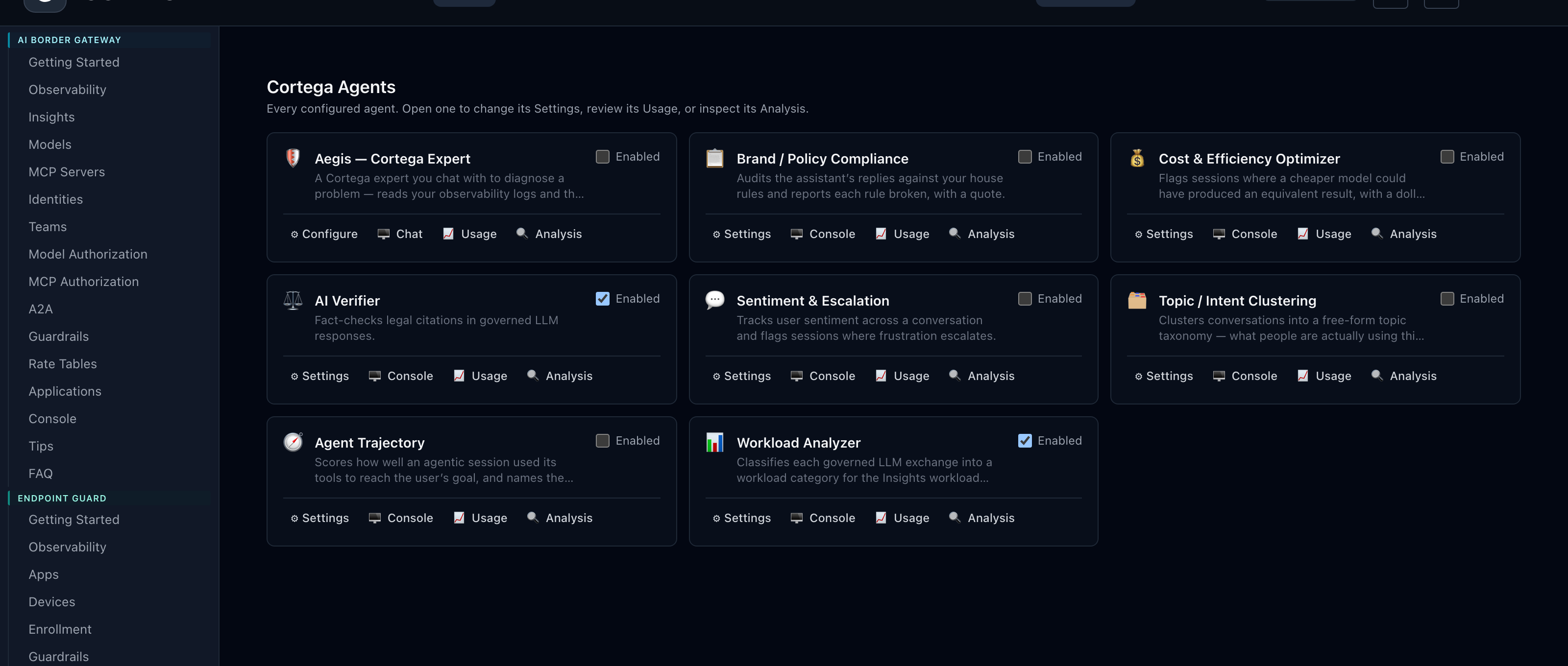
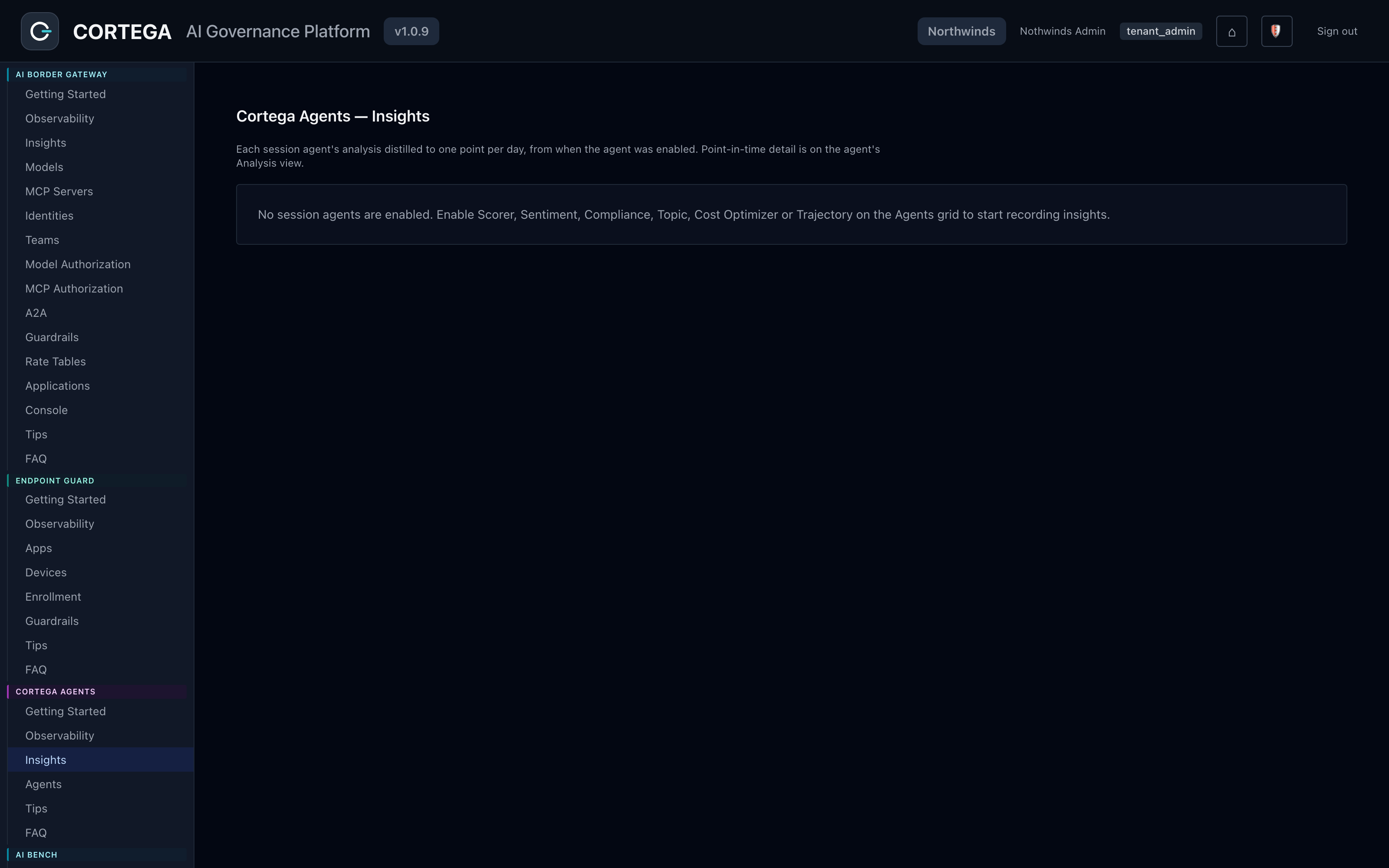
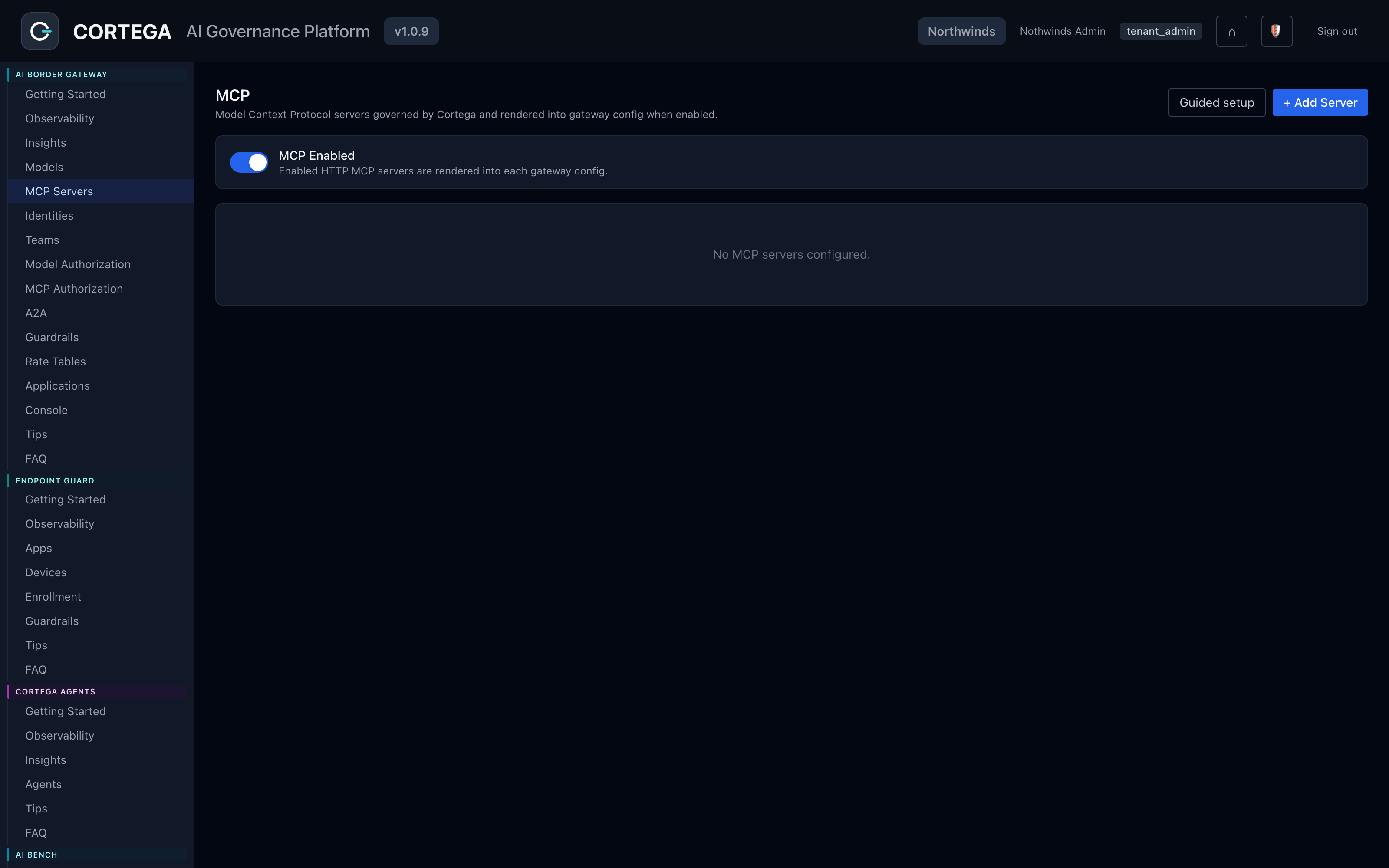
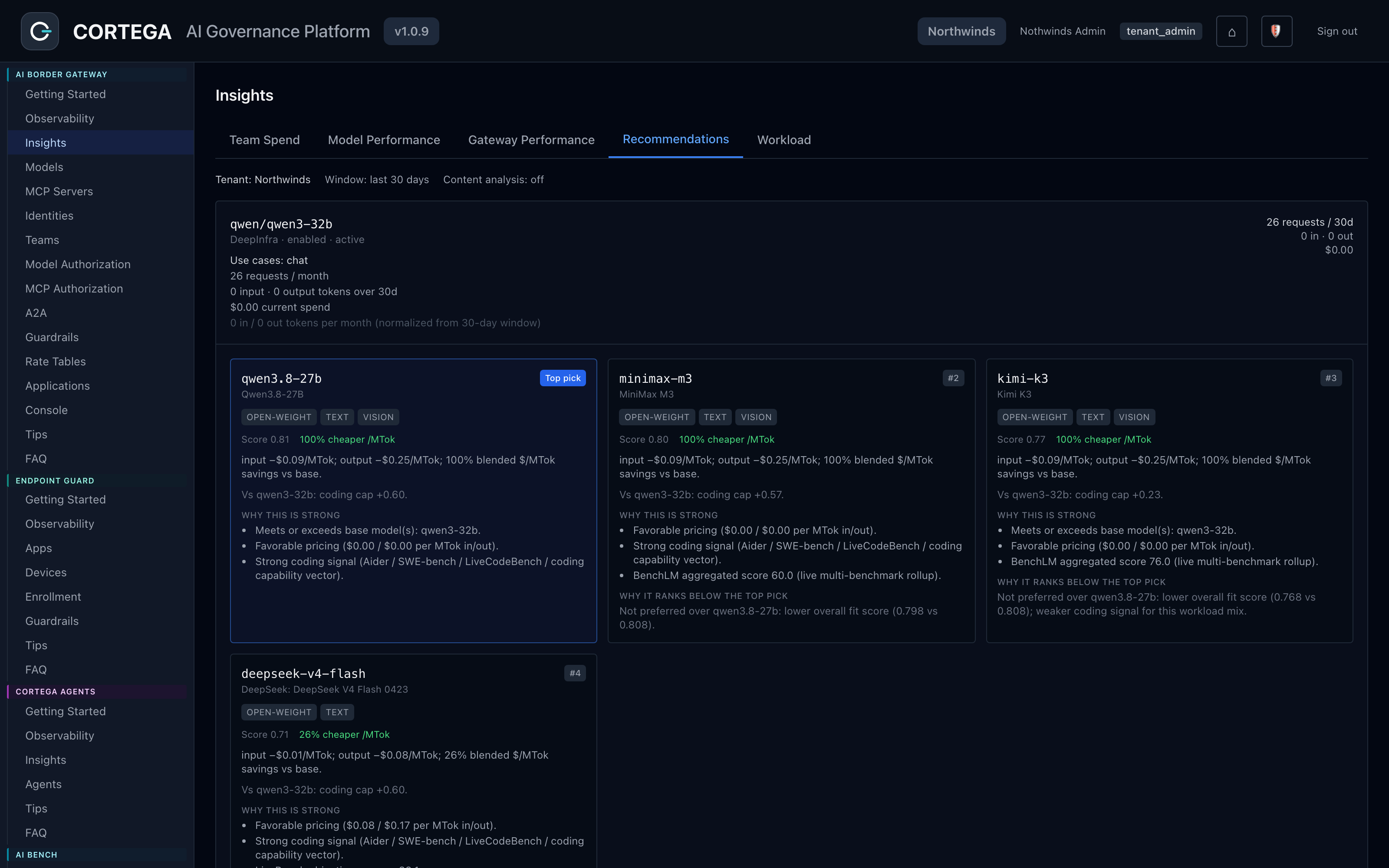
Review agent findings, usage insights, registered MCP servers, and model recommendations in Cortega.

Cortega Agents — quality & anomalies
Cortega Agents: verifier, scorer, sentiment, trajectory, and workload agents
Cortega insights across agents and model calls
MCP servers registered and governed in Cortega
Cortega model recommendations based on measured traffic

From the Cortega console.

YOUR NEXT STEP

Review your AI governance requirements with us.

Bring a workflow, its tools, and your data requirements. We’ll show where to apply controls and what evidence to review.